

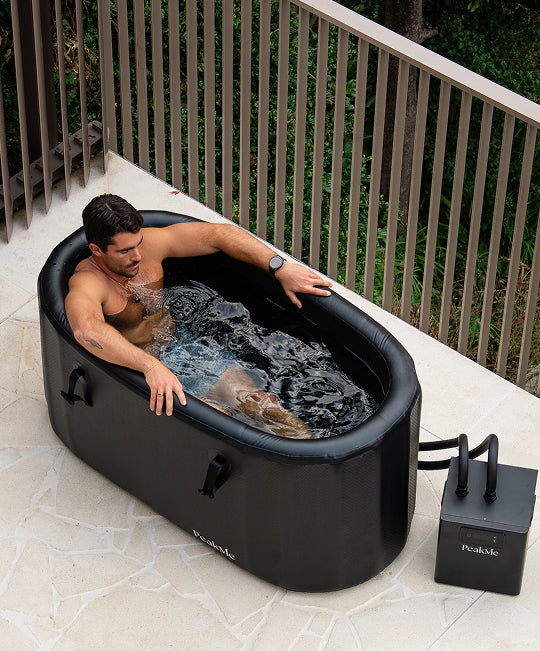




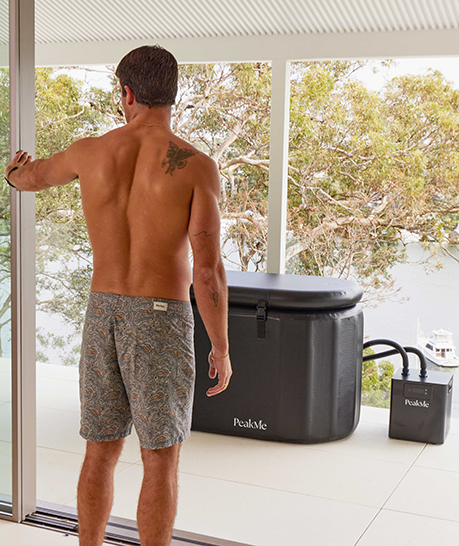








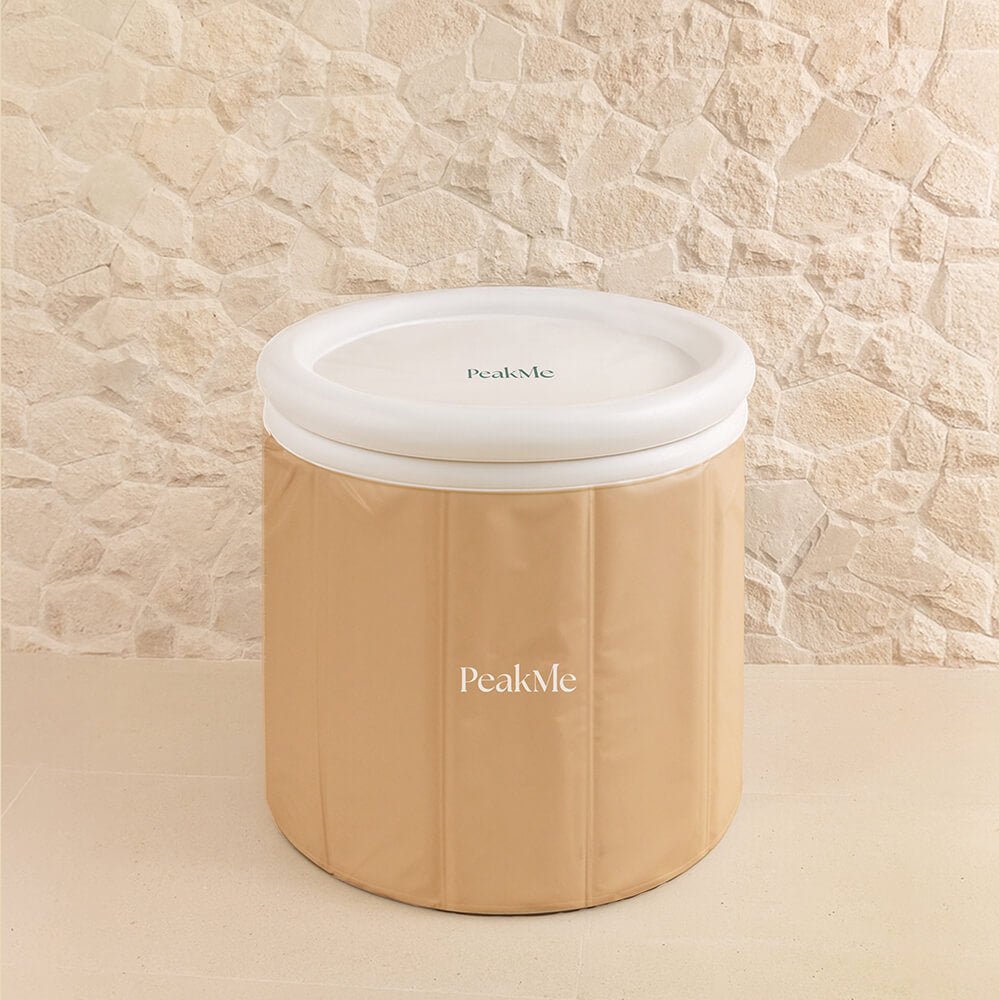

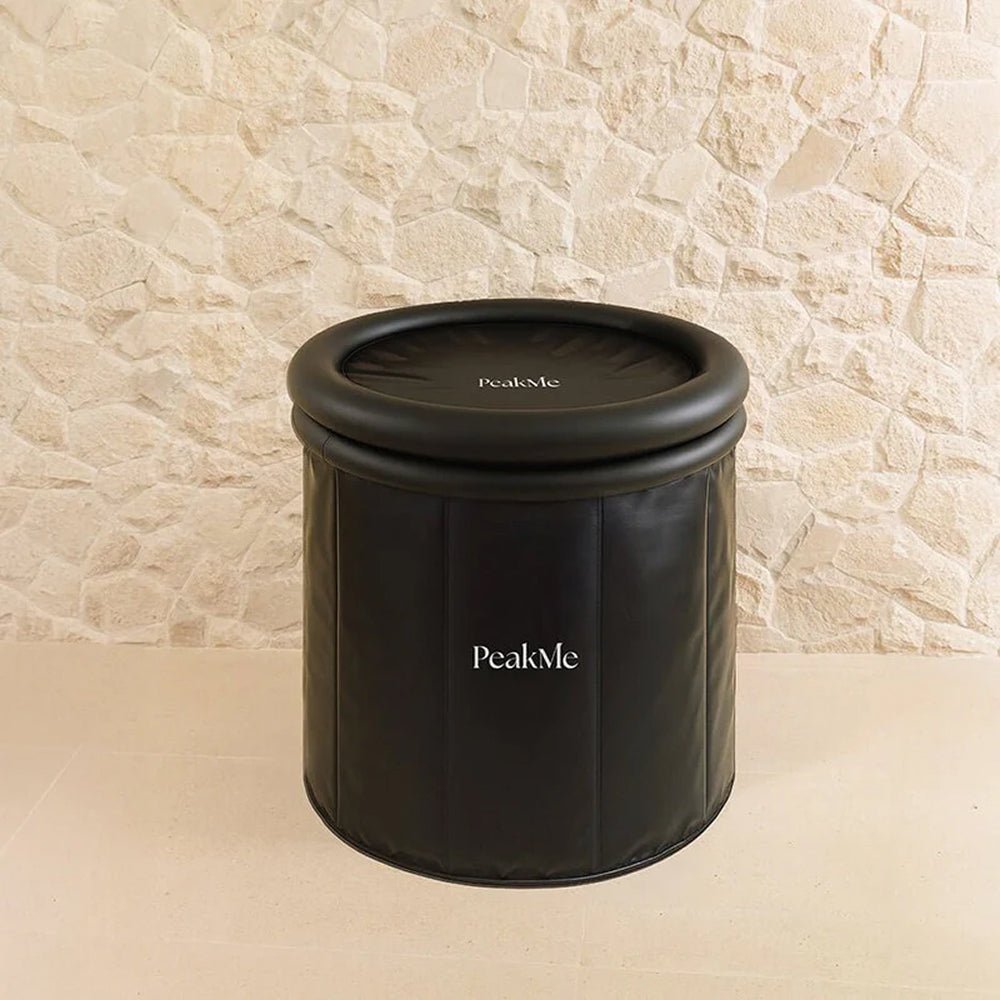

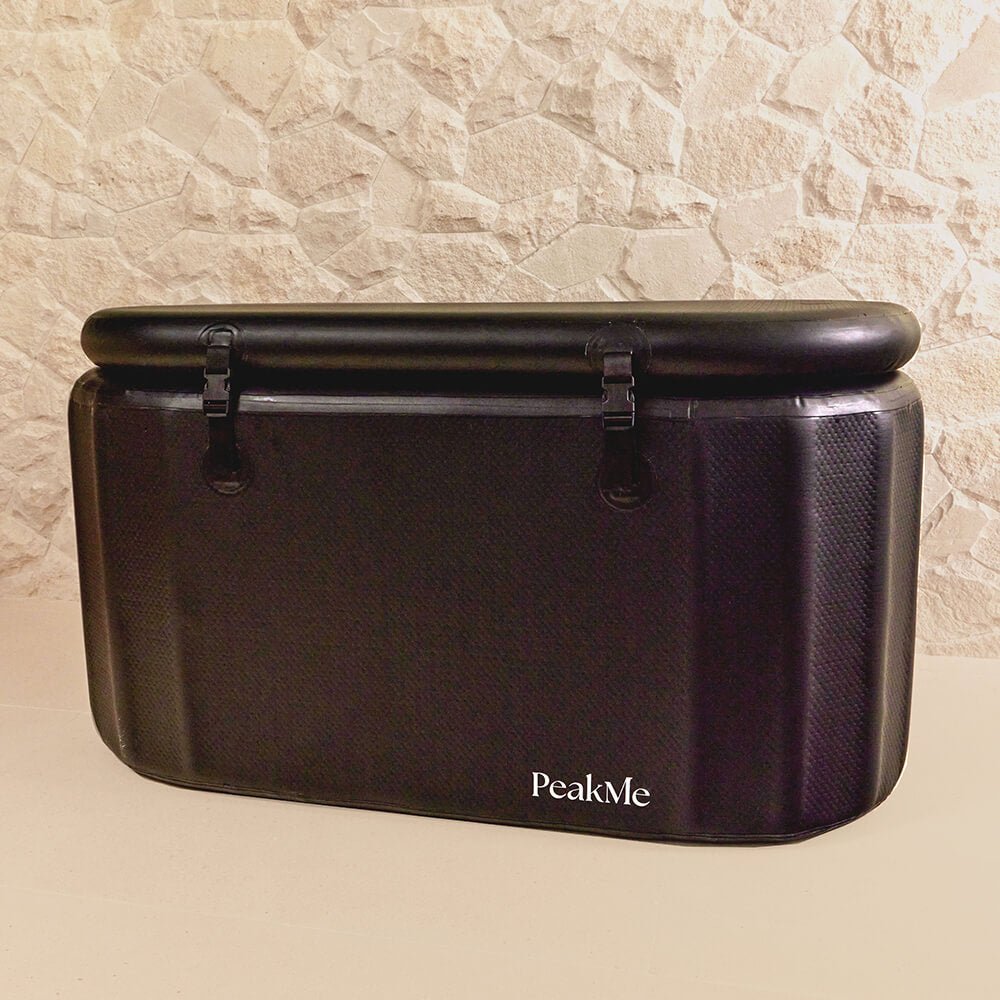

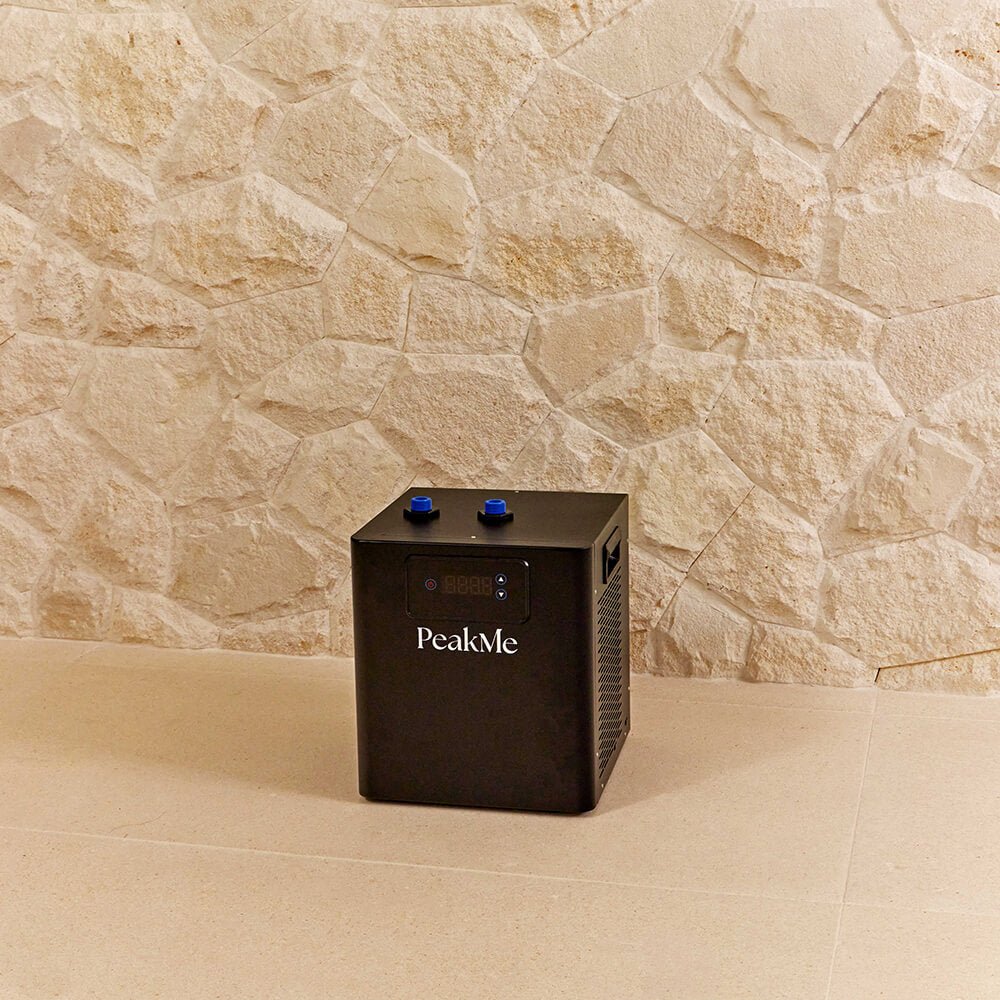
Welcome to recovery made for more.
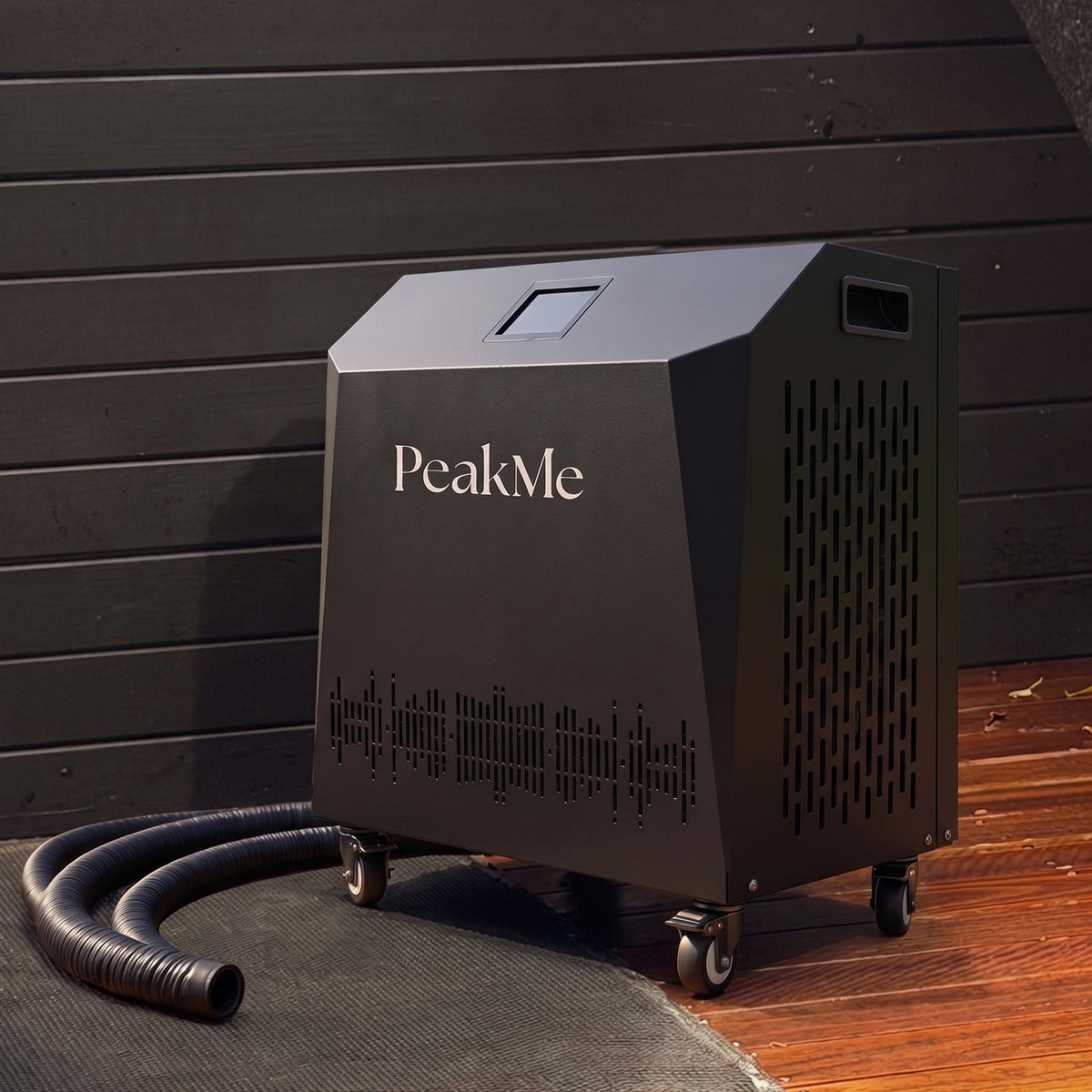
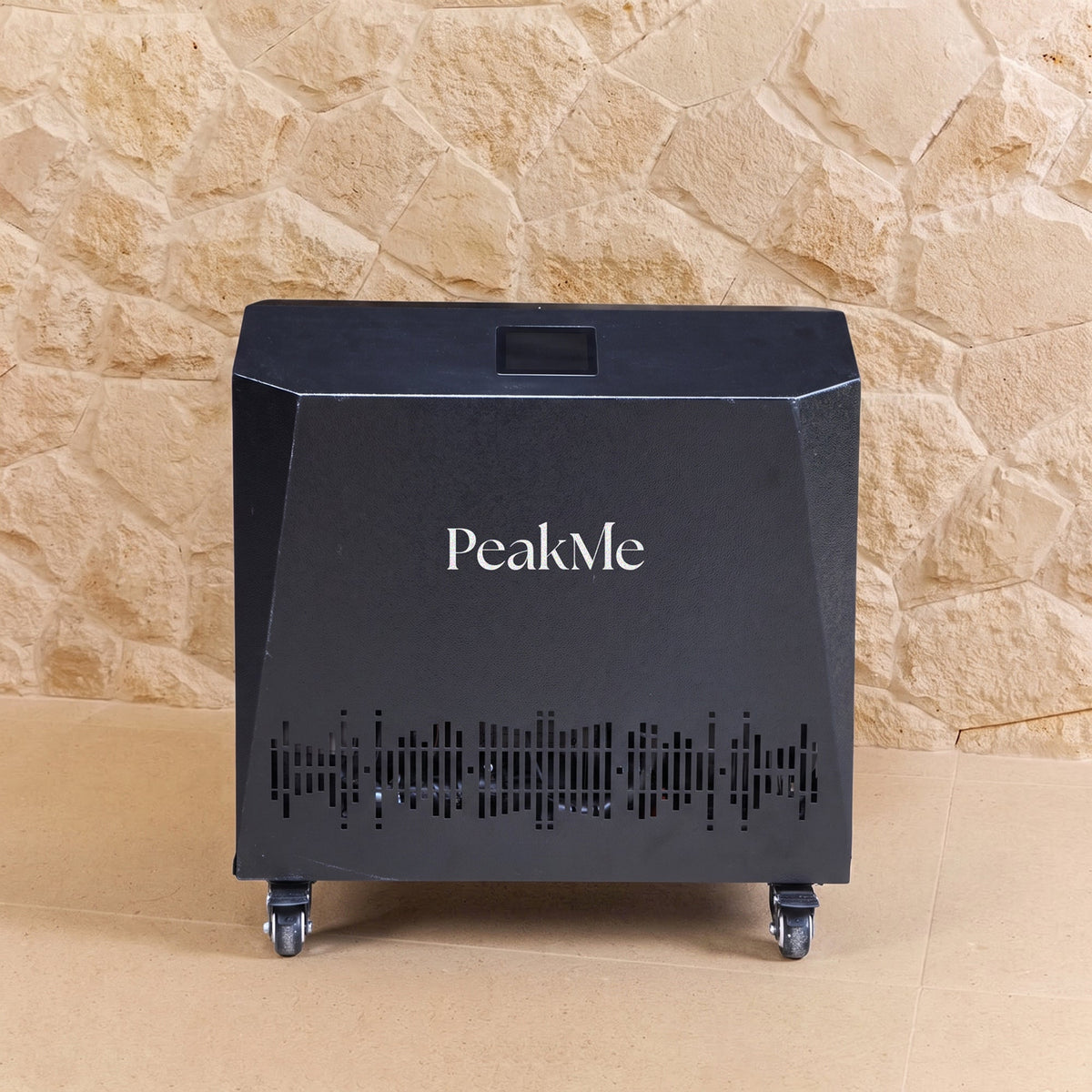
Your PeakMe Pro 1.0HP Chiller is the engine behind a serious cold therapy routine. It connects to your ice bath and holds the water at the exact temperature you set, cold for recovery or warm for a heated soak, ready whenever you are. With 1.0HP cooling, reverse-cycle heating and smart app control, it runs quietly in the background and keeps your plunge waiting at the temperature you want, with no ice runs. Set it from your phone, step in, and let PeakMe do the rest.
Key Features
- Powerful 1.0HP cooling
Chills your bath to a true cold and holds it there, down to 3°C, session after session. - Reverse-cycle heating
One unit for cold plunges and warm soaks, adjustable across 3°C to 42°C. - Smart app control
Set and schedule your water temperature from your phone over Wi-Fi, on iOS or Android. - Built-in ozone disinfection
Cleans the water between sessions to keep it fresh and lower the maintenance load. - Quiet, efficient operation
A brushless DC pump and R32 refrigerant run the cooling cycle efficiently and keep noise low. - Built to move
Wheels with brakes, a carry handle and quick-connect hoses make setup and repositioning simple.
What's in the box
Please inspect the package on arrival to make sure all items are present.
- 1x PeakMe Pro 1.0HP Chiller
- 1x Filter Wrench
- 2x Water Hose
- 1x Hairnet
- 2x 90* Adapters
- 2x Adapters
- 8x Rubber Seal
- 1x Plumbers Tape
- 2x Water Filters
Setting up your chiller
Before you begin
Keep the chiller upright and unplugged for at least 24 hours before you turn it on. This lets the refrigerant settle after transit. Always keep it upright when storing or moving it, and never handle it roughly. When you move it, use the castors and a handle. Never lift it by the water union, as this damages the internal heat exchanger.
1. Choose a location
Place the chiller on a stable, level, dry surface that can take its weight, away from the edge of any counter. It needs room to breathe, so allow:
- At least 1 metre of clear space in front of the unit
- At least 500mm of clearance on both sides and at the back
- Adequate airflow overall, so avoid cabinets or enclosed spaces unless they are ventilated
Keep it out of reach of children. Poor placement can trap heat and cause the unit to overheat, which is not covered by warranty.
2. Position it at the right height
Set the chiller at the same level as your bath. The bath can sit slightly higher, but the water level in the bath must stay above the chiller's water inlet, so the pump can draw water properly. A level setup keeps the water flowing efficiently and supports safe, stable operation.
3. Protect it from sun and rain
The LCD touchscreen needs shade. Prolonged sun can cause it to overheat and fail. For outdoor use, shelter the unit with a tent or shade to protect it from sun and rain, and keep it away from damp to prevent water damage. Screen damage caused by ignoring this is not covered by warranty.
4. Connect it to your bath
Connect the inlet and outlet hoses between the chiller and the bath using the quick connectors, and tighten all fittings by hand. During operation, condensation may drain from the condensate port. If needed, place a container underneath to catch it.
5. Set up the power
For safe operation, the unit must connect to a mains supply that meets these requirements:
- Protected upstream by a 30mA differential switch
- Connected to a suitable D-curve circuit breaker in line with your local regulations
- Wired to spec: 220 to 240V, 50Hz, 3G 1.5mm², AWG14 (model CHM-10-RW)
Always use the supplied GFCI plug into a properly grounded outlet. Test it before first use by pressing TEST to cut the power, then RESET to restore it.
6. Run your first check
Before you switch on, confirm each of the following:
- The unit is installed correctly and level
- The power supply voltage matches the unit's rating
- Piping and wiring are correct
- The air inlet and outlet are unblocked
- Drainage and venting are clear, with no leaks
- The GFCI leakage protector is working
- Piping insulation is in place
- The ground wire is connected correctly
- The filter is tightened
7. Start it up
Once everything is connected and checked, fill the bath with water before switching on the power. Wait until the water filter has filled and there are no air leaks, then press the power button on the control panel to run the unit at your set temperature.
During the first run, check that the current is normal, the buttons and display work, there are no leaks, the condensate drains correctly, and there is no unusual noise or vibration.
Using the controller
Powering on
When the unit powers on, the logo and text fade in over about 5 seconds. The chiller then stays in standby until you start it. Press the power button to begin, and press it again at any time to stop the unit immediately.
The main screen
The status bar across the top shows what the unit is doing: Wi-Fi, pump, compressor, cooling, heating, defrosting and fault. The centre dial shows your set temperature, with current temperature and flow rate on either side.
From the main screen you can see the time, current and set temperature, and flow rate, and you can adjust the temperature, switch the unit, and reach the operation controls for disinfection, defrost, de-icing, light, switch and lock.
Reading the status icons
Each status icon has two states. A dim icon means that function is off or inactive. A bright icon means it is running or active. The fault icon is the exception: dim means normal operation, and bright red means a fault or abnormal condition.
- Wi-Fi: steady when connected, off when there is no connection
- Pump: bright when running, dim when stopped
- Compressor: bright when running, dim when stopped
- Cooling: bright when cooling is active
- Heating: bright when heating is active
- Disinfection: bright when disinfection is on
- Defrost: bright when the unit is defrosting
- Fault: bright red when there is a fault
Everyday controls
- Set the temperature. Use the on-screen slider, or the plus and minus buttons. The setting cannot go above the maximum or below the minimum.
- Switch the unit. Tap the temperature unit icon to swap between °C and °F. Tap again to switch back.
- Disinfect. Press and hold the disinfection icon for 5 seconds to start a forced disinfection cycle. Hold it again for 5 seconds to stop.
- Lock. Tap the lock icon to lock the screen so it cannot be operated. Tap it again to unlock.
- Settings. Tap the settings icon to open the settings screen. We recommend leaving parameters at their factory settings.
- Faults. If a fault occurs, the warning icon flashes and a fault window appears. Tap Reset to restart the unit, Close to dismiss the window, or Help to open the help screen.
The settings menu
The settings screen holds the adjustable functions. The most useful for everyday owners are:
- Memory Mode. Turn on the memory toggle so the chiller returns to its previous operating state after a power outage.
- Timer. Set the power on and off time, temperature and operating cycle to schedule your sessions.
- Network. Opens the network setup guide to connect or reconfigure Wi-Fi.
- Factory reset. Opens a confirmation dialog before restoring factory settings.
- Status. Shows the current load output and related values.
You can also set the sterilisation time and interval, screen lock timer, de-icing operation time and language here. The backend parameter page is password-protected for operator maintenance only and is not for everyday use.
Scheduling with the timer
The timer lets you set start and end times, a target temperature, and how often the schedule repeats, so your bath is ready when you are.
Controlling from the app
Your chiller pairs with the free Smart Life app, so you can set your temperature, schedule sessions and run disinfection from your phone.
1. Download the app
Search for Smart Life in the App Store or Google Play and install it. Open the app to get started.
2. Create your account and home
Register with your phone number, enter the verification code, and set a password. Once registered, create a home: set the home name, set the location, and add your rooms. If you already have an account, log in directly, or use Forgot Password to sign in with a verification code.
3. Pair your chiller
Get the chiller ready to connect first, then add it in the app:
- Turn on Bluetooth on your phone and give the app permission to use it.
- On the controller, open Detail Setting, then press and hold Match Network for 5 seconds and select Yes.
- In the app, tap the plus icon in the top right corner and select Add Device.
- Follow the prompts to finish pairing.
Once paired, the chiller appears as "Chiller" on your home screen. You can rename it whenever you like.
4. Control it from your phone
Tap the device to open the control screen. From here you can see and adjust everything you can on the unit itself:
- Current temperature, set temperature and current flow rate
- Current mode and system output status
- Power, unit switch, disinfection and lock
- The device status page and the timer page
- The More menu, to rename the device, set its location, check the network, share access, and view device information
5. Share or remove the device
To share control with someone else, open the device, tap Share Device, and add their Smart Life account. Shared users see the chiller on their own home screen and can control it from there. To remove a shared user, swipe their account left and delete it.
To unpair the chiller, open the device details from the edit icon in the top right and select Remove Device. You can reconnect within 3 minutes. After that, the device leaves the network and you will need to pair it again.
If pairing fails
- Use a router from a brand such as Asus, Netgear or TP-Link. Some telecom-supplied routers have limited compatibility and may not add the device.
- Make sure Wi-Fi broadcast is on and the network is not hidden, and that your phone is on the 2.4 GHz band. If your 2.4 GHz and 5 GHz bands share one name, separate them and connect to the 2.4 GHz network.
- Check the signal where the chiller sits is strong and stable, with upload and download speeds of at least 2 MB/s.
- If the network is fine but pairing still fails, the router may be overloaded. Free up a channel and try again.
- If the router uses MAC address filtering, remove the chiller from the filter list or turn filtering off.
- Confirm Bluetooth is enabled on your phone and authorised for the app.
Safety Information
Read and follow all safety information before installing or using your chiller, and keep this manual for future reference.
Throughout this guide, a Warning flags a risk to your safety, a Notice flags a risk to the product, and Info offers helpful detail.
General safety
- Children must not use the chiller without adult supervision and guidance.
- Only connect the chiller when your outlet voltage matches the information on the nameplate.
- Use an outlet that is close and easy to reach, so the unit can be disconnected quickly in an emergency.
- Do not use the chiller if it, the power cord or the plug is damaged.
- A damaged power cord must be replaced by the manufacturer, our service team or a qualified person, to avoid risk.
- Do not open the casing. Repairs should only be carried out by professional personnel.
- Unauthorised modifications or damage will void your warranty.
- Use only parts that match the original specifications of the unit.
- Install the chiller securely on a stable, level surface, and read the installation instructions carefully. Unstable or incorrect installation can cause fire, electric shock, water leakage, or the unit falling.
- Have a professional handle any disassembly, servicing or moving. Doing this yourself can cause water leakage, electric shock or fire.
Refrigerant and fire safety
Warning: this product uses R32, a flammable refrigerant. Mishandling it can increase the risk of fire or explosion.
- Do not install the unit anywhere flammable gas may be present. Flammable gas around the unit can cause an explosion.
- Keep the ventilation openings in the enclosure clear and unobstructed, so the unit runs properly and safely.
- Do not use mechanical devices, or any method other than those the manufacturer recommends, to speed up defrosting.
- Do not store explosive substances near the unit.
- Do not damage the refrigerant circuit or puncture the refrigerant tubing.
- If the unit sits in an enclosed or confined space, allow for enough room and ventilation to prevent any risk of suffocation if refrigerant leaks.
Electrical safety
Warning: follow these points to avoid fire or electric shock.
- Never immerse the chiller or its power cord in water or any other liquid, and never touch the plug with wet hands.
- Do not unplug by pulling on the cord, and do not move, pull or carry the unit by the cord.
- Keep the unit and cord away from open flames and hot surfaces.
- Lay the cord so it is not a trip hazard. Do not twist it or run it over sharp edges, and do not place the unit where it could fall into a bath or sink.
- If the unit falls into water, do not reach in to retrieve it. Disconnect the plug first.
- The chiller must be installed with a grounding connection. If your power supply is not grounded, do not connect the unit.
- Use only the designated power cable, connect it firmly to the terminal block to avoid strain, and wire it to the diagram in this manual. Incorrect wiring can damage the unit or cause a fire.
- Use proper materials and professional tools for installation. Incorrect parts, insufficient power capacity or incomplete connections can cause fire, electric shock or the unit falling.
- Do not plug or unplug the cord while the unit is running.
- Do not touch or operate the unit with wet hands.
- Do not place heaters or other electrical appliances near the power cord.
- The cord and plug are for indoor use or under light splash and rain. Keep them covered where possible.
- If you need an extension cord, use a 14 AWG cord with a single plug end, not a multi-tap, for stable, efficient operation.
Using the GFCI plug
Your chiller comes with a GFCI (Ground Fault Circuit Interrupter) plug. It senses leakage current caused by a ground fault and cuts the circuit at a set level to protect against electric shock.
Test the plug before first use:
- Plug the power cord into the wall outlet.
- Press TEST. The circuit should trip automatically and cut power to the unit.
- Press RESET to restore power.
If the unit still turns on after you press TEST, leakage has been detected. Do not use the chiller or attempt to reset the plug, and contact our team.
- Do not press TEST while the unit is operating.
- Do not use the TEST and RESET buttons as on and off switches.
- The cord and plug do not protect externally connected loads or supply circuits.
Water and environment
- Keep the chiller dry. Avoid unnecessary splashing or spraying, and never immerse it in water.
- Do not clean the unit by immersing it in water or using a steam cleaner.
- Do not pour water directly from the unit, and keep water away from the electrical components.
- Do not add any chemical products to the bath. They can cause corrosion or blockages that damage the unit.
- In severe conditions such as heavy rain, flooding, or direct sun above 35°C, unplug the unit and cover it or move it somewhere safe and dry.
Using your ice bath safely
- Enter and exit the bath slowly to reduce the risk of slips or dizziness.
- Discontinue use immediately if you experience chest pain, severe discomfort, faintness or difficulty breathing.
- Do not consume alcohol or recreational drugs before cold or heat immersion.
- Keep the surrounding area dry and free from slip hazards.
- Disconnect the power before any cleaning or maintenance.
With proper care and routine maintenance, your PeakMe Pro 1.0HP Chiller is designed to provide years of dependable performance and an exceptional recovery experience.
Cleaning & Maintenance
Improper handling can damage the unit. Before any maintenance, disconnect the power supply.
Cleaning the surface
Wipe the surface with a damp cloth once the unit is unplugged and cooled. Do not use detergents or other corrosive cleaning products, as they can damage the finish. Keep water out of the casing, and never immerse the unit in water or any other liquid.
Checking and cleaning the filters
Check your filters regularly, both the cartridge filter and the hairnet (mesh) filter. If either is dirty or clogged, clean it as below.
Cartridge filter
- Remove the side panel and take out the filter element.
- Use a wrench to help with removal and refitting if needed.
- Line the filter element up with the filter when you refit it. If it is not aligned, the cartridge will not tighten fully into place.
Hairnet filter
- Place a container underneath to catch any water.
- Remove the hairnet filter, empty it, clean it, and refit it.
- Line the mesh up with the filter housing when you refit it. If it is not aligned, it will not tighten fully into place.
[DIAGRAM: filter locations, cartridge filter behind the side panel and hairnet filter. Source: manual p.8, main parts diagram]
Cleaning the waterway
Every 6 months, run a suitable spa cleanser through the unit to clear calcium deposits and dirt from the internal water lines. Add the cleanser to the bath water and let the chiller run for 2 hours. Once it has finished, empty the bath completely and refill it with fresh water. Never use the bath while the spa cleanser is in the water.
Keeping the airflow clear
Over time, dust and dirt build up in the coils at the rear of the unit. Once that buildup is heavy enough to restrict airflow, it reduces cooling efficiency. Clean the rear coils with compressed air to keep performance up. Once a year is enough for most owners. In dusty environments, clean them more often, every 3 months or so.
When you're not using the chiller
If the chiller will sit unused for a while, make sure no water is left inside it:
- Remove the inlet and outlet hoses.
- Remove the filter housing and the primary filter housing.
- Take out the filter cartridge and mesh.
- Tilt the unit to one side so all remaining water drains out.
- If needed, use an air gun to blow air through the water inlet and clear any water left in the lines.
Warranty
1 Year Limited Warranty
The PeakMe Pro 1.0HP Chiller ("Chiller") is warranted for one (1) year from the original date of purchase against defects in materials and workmanship affecting the Chiller's refrigeration system, compressor, pump, filtration system, factory-installed plumbing, hoses, fittings, valves, controls, electrical components, heating system and other factory-installed components, when the Chiller is installed, operated and maintained in accordance with the owner's manual and applicable PeakMe instructions.
This Limited Warranty is void if PeakMe or its designated representative determines that the Chiller has been subjected to damage or failure due to the installation or use of aftermarket parts, components, accessories, chemicals, water-treatment products or other equipment that are not Genuine PeakMe Parts & Accessories, where such use causes or contributes to the defect or failure.
Genuine PeakMe Parts & Accessories are built to our standards of quality, durability and performance and are designed to work with your PeakMe Pro 1.0HP Chiller to ensure optimal performance and function.
The PeakMe Pro 1.0HP Chiller is designed as a cold and hot water chiller, with cooling and reverse-cycle heating capabilities. The Chiller incorporates integrated filtration, ozone disinfection, app and touchscreen controls, programmable scheduling, and other factory-installed electrical and mechanical components. These factory-installed components are covered by this Limited Warranty against defects in materials and workmanship, subject to the terms and exclusions contained herein.
Consumables and Maintenance Components
This Limited Warranty does not cover consumable items or components that are expected to require periodic replacement as part of normal operation and maintenance, unless the consumable or component itself is defective in materials or workmanship.
This includes, without limitation:
- Water filters and filter media;
- Seals, gaskets and other routine service items;
- Hoses or other components subject to normal deterioration;
- Consumable cleaning or water-treatment products.
The owner is responsible for replacing filters and carrying out routine cleaning and maintenance in accordance with the owner's manual. PeakMe currently recommends replacing the Chiller's filter every one (1) to two (2) weeks depending on frequency of use. Failure to perform required or recommended maintenance may void this Limited Warranty where the failure or resulting damage is caused by, or contributed to by, inadequate maintenance.
Cosmetic Damage and Normal Wear
This Limited Warranty does not cover cosmetic damage or normal ageing that does not affect the structural integrity, safety or performance of the Chiller.
This includes, but is not limited to:
- Scratches;
- Scuffs;
- Dents;
- Marks;
- Fading or discolouration;
- Cosmetic deterioration;
- Normal surface wear;
- Damage resulting from ordinary handling or use.
Normal wear and tear resulting from regular residential or commercial use is excluded from this Limited Warranty.
Water Quality, Filtration and Treatment Exclusions
The Chiller is designed to operate with clean and appropriately maintained water. The owner is responsible for maintaining water quality and using the Chiller in accordance with PeakMe's water-treatment, cleaning and maintenance instructions.
This Limited Warranty does not cover corrosion, staining, scaling, blockages, deterioration, contamination, reduced performance, leaks, pump failure, refrigeration failure or damage to the Chiller or its components resulting from:
- Improper or inadequate water treatment;
- Dirty, contaminated or stagnant water;
- Excessive chlorine or bromine;
- Salt water or salt-based water treatment;
- Harsh or corrosive chemicals;
- Unapproved water additives;
- Incorrect chemical concentrations or water chemistry;
- Failure to replace filters as recommended;
- Failure to clean or maintain the Chiller;
- Mineral deposits, scale or other water-related buildup;
- Use of abrasive cleaning products; or
- Failure to follow the cleaning, water-treatment or maintenance instructions in the owner's manual.
The Chiller includes an onboard ozone disinfection function. The ozone function is intended to assist with water cleanliness but does not remove the owner's responsibility to maintain appropriate water quality, filtration and cleaning.
Electrical and Environmental Exclusions
This Limited Warranty does not cover damage caused by:
- Incorrect voltage, frequency or electrical supply;
- Electrical surges, brownouts, power fluctuations or power outages;
- Incorrect electrical connections;
- Use of an unsuitable power supply or extension arrangement;
- Water entering the electrical enclosure or internal electrical components;
- Submersion of the Chiller;
- Exposure to excessive moisture where the Chiller has not been installed in accordance with the owner's manual;
- Freezing conditions or environmental conditions outside the operating requirements specified by PeakMe;
- Failure to keep the Chiller in a suitable dry, level and shaded location when required;
- Failure to unplug or appropriately store the Chiller where required; or
- Damage caused by pests, vermin or other external environmental factors.
The owner must follow all electrical, installation, storage and environmental requirements contained in the owner's manual. PeakMe's current product instructions specify that the Chiller should be stored in a dry, level and shaded space when not in use and unplugged when not in use.
Installation and Connection
This Limited Warranty applies only where the Chiller has been installed, connected and operated in accordance with the owner's manual and PeakMe's installation requirements.
The owner is responsible for ensuring that:
- Water connections are correctly installed;
- Hoses, adapters, seals and fittings are properly installed;
- The Chiller is positioned on an appropriate, stable surface;
- Adequate ventilation and clearance are provided;
- The electrical supply is suitable for the Chiller;
- Water flow is maintained as required;
- Filters are correctly installed and maintained; and
- The Chiller is operated within its specified operating conditions.
Damage resulting from incorrect installation, improper connection, insufficient water flow, blocked filtration, leaks caused by incorrect assembly, or operation contrary to the owner's manual is not covered by this Limited Warranty where such installation or operation caused or contributed to the failure.
Relocation, Transport and Storage
This Limited Warranty does not cover damage occurring during:
- Relocation of the Chiller;
- Transport after delivery;
- Storage;
- Moving or lifting the Chiller;
- Incorrect handling;
- Dropping or impact;
- Incorrect packing; or
- Installation or reinstallation by anyone other than PeakMe or an authorised PeakMe representative,
where such event causes or contributes to the damage.
The Chiller is a large and heavy item. PeakMe's current product information states that the product is supplied in a wooden crate and recommends two people for lifting or moving the unit.
Freight Damage
Any visible freight or delivery damage must be reported to PeakMe as soon as possible after delivery and, where required for a carrier claim, within forty-eight (48) hours of delivery.
Photographic and/or video evidence may be required.
The owner should retain the original packaging until any freight damage claim has been assessed and resolved.
This Limited Warranty does not limit any rights the owner may have under the Australian Consumer Law in relation to goods damaged before or during delivery.
Unauthorised Modification and Repairs
This Limited Warranty is void, to the extent permitted by law, where PeakMe or its designated representative determines that the Chiller has been subjected to:
- Alteration;
- Unauthorised modification;
- Tampering;
- Misuse;
- Abuse;
- Neglect;
- Unauthorised repairs;
- Repairs attempted by anyone other than PeakMe or an authorised PeakMe representative; or
- Installation of non-genuine parts or accessories where such modification, repair or component causes or contributes to the defect.
The owner accepts responsibility for repair work performed by anyone other than PeakMe or an authorised PeakMe representative.
All warranty service must be performed by PeakMe or its designated representative using authorised PeakMe parts.
Neglect, Misuse and Abuse
Neglect, misuse and abuse include installation, operation, storage or maintenance of the Chiller other than in accordance with the owner's manual, including but not limited to:
- Failure to maintain appropriate water quality;
- Failure to replace filters;
- Failure to maintain adequate water flow;
- Operation with blocked or incorrectly installed filters;
- Use of inappropriate chemicals or water additives;
- Use of abrasive or corrosive cleaning products;
- Allowing water to enter electrical components;
- Operating the Chiller without adequate water flow where prohibited by the owner's manual;
- Operating the Chiller outside its specified operating conditions;
- Failure to follow electrical requirements;
- Unauthorised modification;
- Physical impact or damage;
- Improper storage;
- Improper transportation or relocation; or
- Use of non-genuine PeakMe parts or accessories where they cause or contribute to the failure.
Residential and Commercial Use
This Limited Warranty applies to both residential and commercial installations, provided the Chiller is installed, operated, maintained and serviced in accordance with the owner's manual and PeakMe's applicable instructions.
For commercial installations, the owner is responsible for ensuring that routine cleaning, filter replacement, water treatment, inspection and maintenance are performed at the frequency appropriate to the level of use.
Higher-frequency commercial use does not extend the duration of this Limited Warranty.
Warranty Service
To obtain service in the event of a defect covered by this Limited Warranty, notify PeakMe Customer Support as soon as possible after the issue is identified and use all reasonable means to protect the Chiller from further damage.
Upon proof of purchase, PeakMe or its designated service representative will assess the reported defect subject to the terms and conditions of this Limited Warranty.
To assist with the assessment of a warranty claim, PeakMe may require:
- Proof of purchase;
- The product model and serial number, if applicable;
- A description of the issue;
- Clear photographs and/or videos showing the fault;
- Photographs of the Chiller installation and water connections;
- Details of water-treatment and maintenance practices;
- Filter replacement information;
- Details of any cleaning products or water-treatment products used; and
- Any other information reasonably required to assess the claim.
Do not return the Chiller unless instructed to do so by PeakMe.
PeakMe reserves the right to inspect the Chiller, request additional information, conduct remote troubleshooting, request photographs or videos, or arrange an inspection by an authorised service representative before determining whether the issue is covered under this Limited Warranty.
Where a defect is determined to be covered by this Limited Warranty, PeakMe may, at its sole option and subject to applicable law:
- Repair the defective component;
- Replace the defective component;
- Replace the Chiller with an equivalent product; or
- Provide another remedy required by applicable law.
There will be no charge for parts or labour required to repair a defect covered by this Limited Warranty. The owner is responsible for providing reasonable access to the Chiller for inspection or repair.
Where PeakMe elects to replace the Chiller, the replacement product will be of equal or comparable value to the original purchase, subject to availability and applicable law.
Any replacement product or component supplied under this Limited Warranty will carry the balance of the original warranty period unless otherwise required by applicable law.
Service Location
PeakMe's warranty service and support are provided within Australia.
PeakMe is not responsible for warranty service, labour, repair or other work performed on Chillers located outside Australia unless otherwise agreed by PeakMe in writing or required by applicable law.
Any costs associated with returning, transporting or servicing a Chiller outside Australia are the owner's responsibility unless otherwise required by applicable law.
Limitation of Implied Warranties
To the maximum extent permitted by law, this Limited Warranty takes the place of all other warranties, express or implied, in fact or at law.
All warranty service must be performed by PeakMe or its designated representative using authorised PeakMe parts.
No agent, dealer, distributor, service company or other party is authorised to change, modify or extend the terms of this Limited Warranty.
The Manufacturer will not be responsible for any statements or representations made in any form that go beyond, are broader than, or are inconsistent with authorised PeakMe literature, specifications or warranty terms.
Nothing in this Limited Warranty excludes, restricts or modifies any consumer guarantee, right or remedy that cannot lawfully be excluded, restricted or modified under the Australian Consumer Law.
Disclaimers and Limitation of Liability
To the maximum extent permitted by law, the Manufacturer and its representatives will not be responsible for incidental or consequential damages arising from a defect covered by this Limited Warranty, including, without limitation:
- Loss of use of the Chiller;
- Loss of use of an associated ice bath or plunge;
- Loss of water;
- Water damage;
- Costs associated with removal or reinstallation;
- Costs associated with alternative equipment;
- Loss of business, revenue or commercial use; or
- Other indirect or consequential loss.
To the maximum extent permitted by law, the liability of the Manufacturer under this Limited Warranty, if any, shall not exceed the original amount paid for the defective product.
These limitations do not apply to the extent that they are prohibited by the Australian Consumer Law or any other applicable law.
Coverage under this Limited Warranty commences on the original date of purchase and, subject to applicable law, does not extend beyond the stated warranty period merely because a repair, replacement or service has been provided.
Australian Consumer Law
Our goods come with guarantees that cannot be excluded under the Australian Consumer Law.
You are entitled to a replacement or refund for a major failure and compensation for any other reasonably foreseeable loss or damage.
You are also entitled to have goods repaired or replaced if the goods fail to be of acceptable quality and the failure does not amount to a major failure.
Nothing in this Limited Warranty is intended to exclude, restrict or modify those rights.
Warranty Claims
To make a warranty claim, please contact PeakMe Customer Support as soon as the issue is identified.
To assist with the assessment of your claim, you may be asked to provide:
- Proof of purchase;
- Product model and serial number, if applicable;
- Description of the issue;
- Clear photographs and/or videos showing the fault;
- Photographs of the Chiller, connections and installation;
- Details of water quality and treatment;
- Filter replacement and maintenance history; and
- Any other information reasonably required by PeakMe to assess the claim.
Do not return the product unless instructed to do so by PeakMe.
PeakMe reserves the right to inspect the product, request additional information, troubleshoot the issue remotely, or arrange an inspection by an authorised service representative before determining whether the issue is covered under this Limited Warranty.
Warranty claims must be submitted within the applicable warranty period. Failure to report a defect within a reasonable time after it becomes apparent may affect your ability to make a claim under this Limited Warranty, subject always to your rights under the Australian Consumer Law.
Physical Product Manual Link

Talk to our Australian recovery team about which products are right for your goals, your space, and your routine.